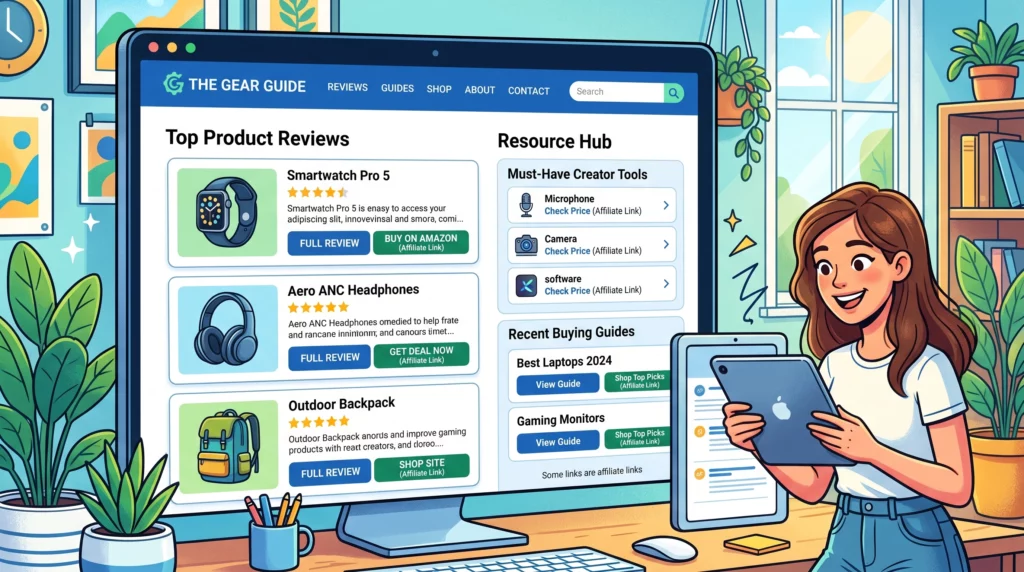
How To Set Up Affiliate Links Properly
Setting up affiliate links might sound complicated at first, but once you get the process down, it’s pretty straightforward and can be a great way to earn extra income from your website, blog, or social channels. Whether you’re just getting started with affiliate marketing or want to make sure you’re following best practices, getting your links right is super important for those commissions to count and for your audience to trust you.
I’ve seen plenty of people make little mistakes—from missing out on disclosures to using messy, broken URLs. The nice thing is, with a few simple steps, you can set up affiliate links that are clearly labeled, trackable, and easy to use. This guide breaks it all down so you can get it right from the start and avoid headaches in the long run.
Here’s how to set up affiliate links properly, keep your clicks and conversions rolling in, and build trust with your readers while staying compliant with regulations.
Step 1: What are the Basics of Affiliate Links?
Before setting anything up, it helps to know what an affiliate link really is. Basically, it’s a unique URL provided by an affiliate program or network which tracks any traffic or sales that come from your content. When someone clicks your affiliate link and makes a purchase, you get credit for the referral and earn a commission.
Core parts of an affiliate link:
- Base URL. The main page the user visits (usually the product or signup page).
- Tracking Code. A string of characters or numbers that identifies you as the referring partner.
- Additional Parameters. Sometimes extra identifiers are attached for specific campaigns or analytics.
One example might look like this:
Fleeky Blog
Each affiliate program structures links slightly differently, but the process for setting them up is pretty similar across networks.
Step 2: Sign Up For Reputable Affiliate Programs
Most affiliate networks (like Amazon Associates, ShareASale, or CJ Affiliate) make it really easy to generate your custom links. You’ll need to apply and get approved first.
Tips while signing up:
- Use your real email and website info. Programs want to see legit websites and traffic sources.
- Read the program terms. You’ll want to know about payout minimums, program rules, and any restrictions on where you can post links, for example, email or certain social platforms.
- Stay organized. Keep a list or spreadsheet of which programs you’re approved for and their login details.
Once you’re in, you’ll have access to their dashboard where you can grab your links.
Step 3: Create and Customize Your Affiliate Links
After joining, you’ll find tools in your dashboard to build affiliate links to specific products or pages.
How to create your links:
- Find the product or page to promote
- Click “Get Link” or similar button in the affiliate dashboard
- Customize as needed (some platforms let you add subIDs or tracking tags for better reporting)
Pro tip:
Don’t copy links from your browser’s address bar. Always use the affiliate dashboard so your tracking works properly.
Step 4: Make Links Userfriendly With Link Cloaking
Many affiliate links are long, ugly, and not very easy to remember. Link cloaking makes them shorter and a little nicer to look at. This can also help with branding, like using your site’s URL as the start of the link, and sometimes improves clickthrough rates.
Popular link cloaking plugins and tools:
- Pretty Links (WordPress)
- ThirstyAffiliates (WordPress)
- TinyURL or Bitly (for quick, simple short links)
With cloaked links, instead of a messy string, your link looks like yourwebsite.com/go/product.
Always check if your affiliate program allows link cloaking since some are picky and want links left as they are.
Step 5: Add Proper Affiliate Link Disclosures
Being honest with your audience matters, and it’s also a legal requirement, especially if you have readers in the US (thanks, FTC guidelines!). Whenever you post affiliate links, make it clear that you could get a commission if someone clicks and buys.
Tips for easy disclosures:
- Put a short disclosure near the link (like “This link is an affiliate link. I may earn a commission if you buy”).
- Have a visible disclosure policy on your website.
- Avoid hiding disclosures in footers or pages users won’t see right away.
Disclosures help users trust your recommendations because you’re upfront about the relationship.
Step 6: Place Affiliate Links Strategically
Where you put your links can make a big difference in clicks and conversions. Just sprinkling them randomly won’t work as well as a thoughtful approach.
Best spots for affiliate links:
- In product reviews or recommendation sections
- At the top or middle of helpful blog posts (not just at the end)
- Inside resource pages or toolkits
- Relevant banners in your site’s sidebar or after main content
Make sure links feel natural in context; if you force them into unrelated content, readers will notice.
Step 7: Track Performance and Keep Links Updated
Affiliate programs provide stats so you can see which links get the most clicks and which ones earn commissions. Keeping an eye on your stats makes it easier to tweak your content for better results. It’s a good idea to note which content resonates the most with your audience, so you can double down on what works.
Simple ways to track and maintain your affiliate links:
- Use your affiliate dashboard to monitor clicks, sales, and commissions
- When you update or remove content, check for broken or outdated affiliate links
- Test your links each month to make sure they still work
Some link cloaking tools come with built in analytics that help you spot which links are actually bringing in results and which might need attention.
Common Affiliate Link Mistakes and How To Avoid Them
Common mistakes:
- Not using the official affiliate link, which means no tracking and no commissions
- Forgetting clear disclosures
- Linking to products that are out of stock or discontinued
- Overloading content with too many links, which makes you look spammy
- Leaving broken or expired links up
How to avoid:
- Check your links regularly and update or remove broken ones
- Keep a spreadsheet of all affiliates and links you use
- Read affiliate program emails because sometimes product links change without warning
Making a habit of regular link maintenance can keep your affiliate income steady and help you avoid the frustration of missing commissions due to simple mistakes.
Quick Answers: Affiliate Link Questions
Do I need a website to use affiliate links?
You don’t always need a website as some programs allow sharing links on social media or email, but many high paying ones want you to have an established site.
Can affiliate links hurt my SEO?
Affiliate links themselves don’t hurt SEO, but make sure to use rel="nofollow" or rel="sponsored" on your links so search engines know they’re paid promotions. Google’s own guide is worth checking out on this topic.
Is there a limit to how many affiliate links I can use?
No set limits, but make sure the links are useful and relevant. Overdoing it makes your content look less trustworthy. Focus on quality over quantity.
Practical Next Steps for Affiliate Success
Setting up affiliate links the right way gets you ready for solid earnings and a happy audience. The main things to keep in mind are using proper tracking links, keeping your links tidy, adding honest disclosures, and checking your links regularly. Be consistent, and your affiliate marketing adventure can become a rewarding part of your online presence.
Your affiliate link checklist:
- Sign up for good affiliate programs with products you trust
- Create links using the program dashboard, not random URLs
- Add simple, honest disclosures every time you use an affiliate link
- Cloak your links for easier management if allowed
- Put links where they’re most useful and natural in your content
- Keep tabs on your affiliate stats and update links when needed
- Schedule routine audits of your affiliate links to stay up to date with any changes in the programs you use
- Engage with your readers by asking them for feedback on your product recommendations or linking style
If you have questions about affiliate links, or want feedback on your setup, drop your questions below and I’m happy to help out. Stay sharp, keep your links clean, and you’ll be in great shape to make the most out of your affiliate marketing efforts.
Make your own images with this professional AI tool
Eyebrow Artistry Advisor
Friendly yet professional eyebrow makeup advisor, offering personalized and current advice.
-
How To Set Up Affiliate Links Properly
-

Tools For Creating Stunning Beauty Graphics
-
Write SEO Optimized Posts For Beauty Niches
-

The Top Keyword Research Tools For Beauty Niches
Join a thriving community
Stay in the loop with everything you need to know
And build your own online presence!